Saturday, February 25, 2012

Samsung Galaxy Note Price India

The new Samsung Galaxy Note is a large 5.3-inch HD Super AMOLED Display smartphone running the latest Android OS . It is not only a smartphone but also work as a tablet, a superb camera, and a notepad with a stowaway pen . It is powered by a 1.4 Ghz dual core processor , sports 8 megapixel camera with LED flash, front is a 2 megapixel camera for video calling . It is a super slim device with merely 9.65mm thickness . It also supports high speed LTE and HSPA+ data connectivity options . Well personally it is not very comfortable to talk using such big phones (remember Dell Streak ?) as they are very weird and inconvenient in holding close to ear . Instead I will prefer a around 4-inch display smartphone .
Samsung Galaxy Note
Using the Galaxy Note’s S Pen you can capture and crop images of any size and form without any hassle . You can quickly take down notes or quickly draw and send your ideas/info. to you friends .


Samsung Galaxy Note specifications :

  • Network: Quad band GSM/EDGE/GPRS , Penta band UMTS (3G)
  • Display : 5.3-inch HD Super AMOLED display , 1280×800 pixel WXGA resolution
  • Advanced Digital S Pen technology
  • Dimensions : 146.5×82.95×9.65 mm
  • Stowaway pen for note-taking, drawing ,screen captures
  • Operating System : Android Gingerbread (v2.3)
  • 3G HSPA+
  • Wireless LAN WiFi n , Wi-Fi Direct
  • Camera :
  • Rear : 8MP with LED flash
  • Front : 2MP cameras
  • Battery : 2,500mAh
  • Processor : Samsung dual core 1.4GHzMemory : 1GB RAM
  • Storage 16GB/32GB
  • Thickness : 9.65mm
  • Weight : 178 gm
  • Samsung ChatON communication service
Samsung Galaxy Note Price in India : Rs.31,900 on 05 January 2012 . Free Designer Flip Cover worth Rs.1,799 .
Samsung Galaxy Note

Nokia Lumia 800 Price India


The new Nokia Lumia 800 is the first Windows Phone Smartphone from Nokia . It sports a large 3.7-inch touchscreen AMOLED ClearBlack display with toughened glass stretching to the sides of the phone . It sports stunning design , similar to that of Nokia N9 (MeeGo OS) . There is no front camera in Nokia Lumia 800 , god knows why Nokia thought that this flagship smartphone can not be used for video calling .

Nokia Lumia 800 mobile features :

  • First Nokia mobile with Windows Phone OS
  • Large , Bright full touch screen display
  • 8MP camera
  • smooth single-piece body
  • Powerful processor
  • Long battery backup
Nokia Lumia 800 specifications :

  • Display : 3.7-inch bright AMOLED ClearBlack display
  • Dedicated buttons at the front : Back, Start and Search (set in the glass)
  • available in colors: black, cyan and magenta
  • Camera : 8 mega-pixel with auto-focus ,Carl Zeiss optics ,and flash
  • HD video recording @ 30 frames per second
  • CPU : 1.4GHz processor
  • Internal memory : 16GB
  • cloud computing : 25GB of free SkyDrive storage
  • Network : Quadband GSM , UMTS
  • Connectivity : 3G HSDPA , WiFi , Bluetooth
  • Battery :
  • Talktime : up to 13 hours
  • Stand by time : up to 335 hours
  • Dimensions : 116.5 x 61.2 x 12.1mm
  • Weight : 142gm
  • Nokia Drive – free turn-by-turn navigation and a dedicated in-car interface
  • Nokia MixRadio – free global mobile music-streaming
  • Browser : Internet Explorer 9 fast, HTML5 applications
Nokia Lumia 800 Price in India : Rs.27,500 on 13 Feb. 2012 .

iPhone 4s Price


Apple has launched the new highly anticipated Apple iPhone 4s smartphone . It is the successor of the hugely popular Apple iPhone 4 .It is similar in design and size to its predecessor but is more powerful , sports better camera ,has higher data speed support, and features loads of other small improvements over its predecessor . It features new appllication named “Siri” , your intelligent assistant that help you get things done by just asking like setting alarm , arranging time schedules , asking you to carry umbrella if it is overcast .
iphone 4s
Apple iPhone 4s smartphone features :

  • New Retina display
  • Apple A5 chip , dual core processor
  • 2x faster than iphone 4
  • Dual-core graphics
  • Better signal receiving and transmitting antennas
  • Intelligently switched between two antennas to transmit and receive
  • Higher 3G download and upload speed support
  • Will be avalable in both GSM and CDMA
  • Better camera with higher megapixels (60% more)
  • faster image capture (1.1sec for first picture, and 0.5second for the second)
  • Siri – New Voice recognition based assistant
Apple iPhone 4s smartphone specifications :

  • Network support : Quad band UMTS/HSDPA/HSUPA , Quad band GSM/EDGE,Dual band CDMA
  • Display : 3.5-inch Multi-Touch Retina display , 960×640 pixel resolution
  • Audio Player supported formats : AAC , Protected AAC , HE-AAC, MP3 , MP3 VBR, Audible , Apple Lossless, AIFF, and WAV
  • Video formats supported: H.264,AAC-LC ,.m4v, .mp4, .mov ,MPEG-4
  • Sensors : Three-axis gyro,Accelerometer,Proximity sensor,Ambient light sensor
  • Wireless LAN 802.11b/g/n Wi-Fi
  • Bluetooth 4.0 wireless technology
  • Assisted GPS
  • Digital compass
  • Dimensions : 115.2×58.6×9.3 mm
  • Weight : 140 grams
  • Camera : 8MP auto focus , LED flash , 3264×2448 pixels , f/2.4 aperture , face detection
  • Front camera with VGA
  • 3G : 14.4 Mbps HSDPA , 5.8 Mbps HSUPA
  • Battery
  • Talk time
  • 3G : up to 8 hours
  • 3G : up to 8 hours
  • 2G : up to 14 hours
  • 3G Browsing : up to 6 hours
  • WiFi Browsing : up to 9 hours
  • Video Playback time : up to 10 hours
  • Music Playback time : up to 40 hours
Apple iPhone 4s Price in India : Available in India through Airtel and Aircel .

  • Apple iPhone 4s 16GB Price in India – Rs.44,500
  • Apple iPhone 4s 32GB Price in India – Rs.50,900
iPhone 4s Vs iPhone 4
Apple iPhone 4sApple iPhone 4
8 MP camera , Face detection5MP camera
Siri , Built-in assistantNA
Full HD Video recording , Video stabilizationHD video recording
Bluetooth v4.0Bluetooth v2.1+EDR
Up to 8 Hrs talk time and 300 Hrs Standby on 3GUp to 7 Hrs talk time and 200 Hrs Standby on 3G
3G : HSDPA 14.4 Mbps; HSUPA 5.76 Mbps3G : HSDPA 7.2 Mbps HSUPA, 5.76 Mbps
Apple A5 Chipset 1GHz Dual core processorApple A4 Chipset 1GHz Single core processor
16/32/64 GB Storage16/32 GB Storage
PowerVR SGX543MP2 GPUPowerVR SGX535GPU

Chinese Mobile phones are worth to buy- Great Facts

Good day Blog readers! Well we have a good topic to discuss today and that is?
Is it worth to buy a Chinese Mobile phones?  My answer is it depends on your need and your budget.   Let’s get serious, well yeah it is worth to buy, but I guarantee you that not all Chinese mobile phones have the quality like the top commercial phones.
When I say  YES  what I meant that China phones has the best features compared to top commercial mobile phones, in fact before touch phones were released China had already developing phones with touch screen features and with Television capability.  If we try to compare that Nokia phones, that is already a cool feature that could attract customers and businessmen.
Many Asians like these Chinese phones for instance the model "SIGMATEL S500" ,It has the features  like dual sim with dual standby, 2.0 MP camera, mp3,mp4 players, motion gaming, FM radio, torch light,bluetooth, SMS, MMS, Voice mail, Chat and other lots of features. The sound quality is reasonably good though the picture quality is average. But the most important thing is that is has a registered IMEI no. so it is true business. What is good with these phones? The price so very low and the almost all technicians can fix your phone if it is damage. Talking about Quality I am very sure that is not as good as the Sony Ericsson or NOKIA high end phones, but the point is that for people who don't have the budget to buy high-end phones can use the high-end phone facilities at very low prices.


Today's China phones has the features of Blue tooth, Wifi and with 5.0 Mega pixel cameras.  I have seen many with the looks of Iphones and Blueberry with a superb features above from the branded mobiles.  Fixing damage China phones can also fixed easily, hence the phone is very cheap that is also mean that parts of it can be easily be found.  One big problem not all technicians are interested in fixing these kind of phones, well of course you pay them cheaply, funny huh.  
 No one knows how reliable these Chinese phones. You better do some testing on it. Many reports stated that these phones run flawlessly for years while some have seen them failing in under a month. One tip: avoid dropping these phones, these phones are very fragile and that’s one big problem like for instance one drop can get these phones into pieces! Take good care just like other phones (keep away from dirt, dust, grime, moisture) and you’d do it some justice. The shiny silver paints can wear off soon and plastic can crack, LCD can show banding and what not! Talking about Quality I am very sure that is not as good as the Sony Ericsson or NOKIA high end phones, but the point is that for people who don't have the budget to buy high-end phones can use the high-end phone facilities at very low prices.  
Most top brands are concerned about the huge number of Chinese mobile phones being sold in India and their gaining market share and popularity, mainly in the rural areas. It is almost a cottage industry there in China with lots of unknown manufacturers coexisting with real and well known manufacturers. 
In the Philippines there are two top companies selling China Phones with their own Brand names and these phones passed the Quality standard test, they have gained an edge compared to Nokia and Sony phones.  Quality on these phones is still based on its manufacturer. So better know what Chinese company is making your phones and know their quality standards.
Not all Chinese handsets are excellent and of course not all are bad; just make sure you are well informed you check reviews, know its specifications, feel it physically in hands if possible before buying it. Good luck!

BE SMART WITH YOUR SMARTPHONE

BE SMART WITH YOUR SMART MOBILE PHONE

JUST FOLLOW THESE STEPS


  1. Dont answer back any missed call except from your known ones. Mind, +91 is the ISD code for INDIA, so dont answer answer calls coming with other ISD codes, they may be from other countries.
  2. Dont put and save any passwords and confidential information in your mobile.
  3. Dont store and save any other unnecessary information in your smart mobile phone.
  4. While downloading Mobile Apps, do read their terms and conditions and legal policies. You should know while filling forms and details, how will your details be used latter.
  5. Dont write anything while using Mobile Social Media, else you may land up in something wrong.
  6. Always keep your phone updated in terms of the Anti Virus Software you are using.
  7. Every week make it a habit to create a backup of your mobile phone data by storing it in your home computer or laptop. This will prevent problems when your mobile is lost.
You should be also SMART, if you use a SMARTPHONE. 

Friday, February 24, 2012

How to Make Your Cell Phone Battery Last Longer

12 EASY STEPS TO MAKE YOUR PHONE BATTERY LAST LONGER


  1. Turn the phone off
  2. Stop searching for a signal
  3. Switch the vibrate function off on your phone, using just the ring tone
  4. Turn off your phone's back light.
  5. Avoid using unnecessary features
  6. Keep calls short
  7. Turn off Bluetooth
  8. Same goes for WIFI, GPS, and infrared capabilities, if your phone has these features built in
  9. Turn the brightness of the display the to the lowest setting possible.
  10. Use GSM rather than 3G - Using your phone in 3G / Dual Mode will drain the battery quicker than if you just use GSM mode - have a look at your phones spec and you'll see it will quote two different battery life times - normally 50% more for pure GSM use.
  11. With a smartphone, avoid using moving or animated pictures or videos for your background.
  12. Use a black background whenever possible


HOW TO USE RESERVE BATTERY OF YOUR MOBILE PHONE

Imagine your cell battery is very low. To activate, press the keys *3370# your cell will restart with this reserve and the instrument will show a 50% increase in battery. This reserve will get charged when you charge your cell next time.

THINGS YOU NEVER KNEW YOUR CELL PHONE COULD DO.

THINGS YOU NEVER KNEW YOUR CELL PHONE COULD DO.
There are a few things that can be done in times of grave emergencies. Your mobile phone can actually be a life saver or an emergency tool for survival. Check out the things that you can do with it:
FIRST
Subject: Emergency
The Emergency Number worldwide for Mobile is 112. If you find yourself out of the coverage area of your mobile; network and there is an emergency, dial 112 and the mobile will search any existing network to establish the emergency number for you, and interestingly this number 112 can be dialed even if the keypad is locked. Try it out.
SECOND
Subject: Have you locked your keys in the car?
Does your car have remote keyless entry? This may come in handy someday. Good reason to own a cell phone: If you lock your keys in the car and the spare keys are at home, call someone at home on their cell phone from your cell phone. Hold your cell phone about a foot from your car door and have the person at your home press the unlock button, holding it near the mobile phone on their end. Your car will unlock. Saves someone from having to drive your keys to you. Distance is no object. You could be hundreds of miles away, and if you can reach someone who has the other "remote" for your car, you can unlock the doors (or the trunk). Editor's Note: It works fine! We tried it out and it unlocked our car over a cell phone!"
THIRD
Subject: Hidden Battery Power
Imagine your cell battery is very low. To activate, press the keys *3370# your cell will restart with this reserve and the instrument will show a 50% increase in battery. This reserve will get charged when you charge your cell next time.
FOURTH
How to disable a STOLEN mobile phone?
To check your Mobile phone's serial number, key in the following digits on your phone: * # 0 6 # A 15 digit code will appear on the screen. This number is unique to your handset. Write it down and keep it somewhere safe. When your phone gets stolen, you can phone your service provider and give them this code. They will then be able to block your handset so even if the thief changes the SIM card, your phone will be totally useless. You probably won't get your phone back, but at least you know that whoever stole it can't use/sell it either. If everybody does this, there would be no point in people stealing mobile phones.

NOKIA TRICKS

To check the phones Software revision type-
*#0000#
Information you get from the Software revision-
V 05.31
18-02-99
NSE-3
1ST Line = Software revision
2ND Line = The date of the software release
3RD Line = Phone type

To enter the service menu type-
*#92702689# (*#WAR0ANTY#)
Serial number (IMEI)
Production date (MM/YY)
Purchase date (MM/YY) You can only enter the date once.
Date of last repair (0000=No repair)
Transfer user data to another Nokia phone via Infra-Red

Clock Stopping
To check weather your SIM Card supports clock stopping type-
*#746025625# (*#SIM0CLOCK#)

How to Find IMEI Number of Your Mobile Phone


How to Find IMEI Number of Your Mobile Phone

IMEI number or International Mobile Equipment Identity number is a
unique number associated with every GSM and UMTS mobile phone
and can help you find your stolen cell phone easily. Save your IMEI
 number today.
HOW TO FIND IMEI NUMBER

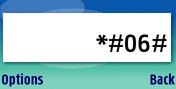
To find your mobile phone IMEI number, simply dial the sequence *#06#
into the phone. The unique 15 digit IMEI code of your cell phone will be
instantly displayed. Copy it and keep it in a safe place so that you can
find it when you phone is misplaced or stolen. You can also find
the IMEI number by checking the compliance plate
under the battery.
imei number
Why is IMEI number useful?If your mobile phone gets misplaced, lost,
or stolen – you can inform the the network provider who can then put
the serial number (the IMEI number for the phone) on a shared database.
This list stops this particular phone from registering on any network and
 will be useless for anyone even if the mobile phone’s SIM card is
changed!
This IMEI number is also useful to unlock mobile phones and get them
 working once they are found. So find and write down your IMEI number
right now, with growing incidence of stolen or lost mobile phones, you
 never know when it might be useful!

Saturday, September 24, 2011

Reliance MMS Settings


MMS SETTINGS FOR RELIANCE

Provider Title          : Reliance MMS
Hompage                : http://10.239.221.47/mms/
Protocol                  : HTTP
Preferred Connect  : GPRS
PROXY
Use                         : Yes
Login                      : Blank
Password              : Blank
Proxy Address       : 010.239.221.500
Port Type               : Non Secure
Port Number          : 8080
GPRS PARAMETERS
Login                     :  Blank
Password             : Blank
APN                      : rcommms

Reliance GPRS Settings


WAP SETTINGS FOR RELIANCE GSM

Provider Title            : Mobile World
Hompage                 : http://wap.rworld.co.in/
Protocol                   : HTTP
Preferred Connect  : GPRS
PROXY
Use                          : Yes
Login                       : Blank
Password               : Blank
Proxy Address        : 010.239.221.005
Port Type                : Non Secure
Port Number           : 8080
GPRS PARAMETERS
Login                       :  Blank
Password               : Blank
APN                        : rcomwap

Friday, September 23, 2011

Vodafone MMS Settings


MMS SETTINGS FOR VODAFONE

Provider Title          : Vodafone_mms
Hompage                : http://mms1.live.vodafone.in/mms/
Protocol                  : HTTP
Preferred Connect  : GPRS
PROXY
Use                         : Yes
Login                      : Blank
Password              : Blank
Proxy Address       : 010.010.001.100
Port Type               : Non Secure
Port Number          : 9401
GPRS PARAMETERS
Login                     :  Blank
Password             : Blank
APN                      : portalnmms

Vodafone GPRS Settings


WAP SETTINGS FOR VODAFONE

Provider Title         : Vodafone_GPRS
Hompage               : http://live.vodafone.in/
Protocol                 : HTTP
Preferred Connect  : GPRS
PROXY
Use                        : Yes
Login                     : Blank
Password               : Blank
Proxy Address       : 010.010.001.100
Port Type              : Non Secure
Port Number         : 9401
GPRS PARAMETERS
Login                    :  Blank
Password             : Blank
APN                    : portalnmms

How to connect to internet using Wifi on your mobile phone?

BELOW IS THE STEP BY STEP GUIDE TO CONNECT YOUR MOBILE PHONE TO INTERNET USING THE WIFI FEATURE.
JUST FOLLOW THESE SIMPLE STEPS AND ENJOY THE INTERNET.

1. Open the mobile phone menu, you will see many icons.

2. Try to find the wap icon(there are different name: Wap, Network, internet, service)

3. Then, choose the Internet service (Sometime call Wap), you will see a list, choose “Setting”

4. When you into the “setting” options, you will see, “Select SIM” “ Profiles” etc. ,choose the “Profiles”

5. Choose “SIM 1” and Change to “Wlan” (Sometimes call WiFi) option. Then ,Activate it

6. Choose “SIM 2” and Change to “Wlan” (Sometimes call WiFi) option. Then ,Activate it

7. Into “JAVA” option, Choose “Java Setting”

8. Change “SIM1 Profile” and “SIM2 Profile” to “Wlan” or “Wifi”

9. Then, into “Wi-Fi” or “Wlan” Option search the Network

10. Then, Input the password.

11. Just enjoy the Internet